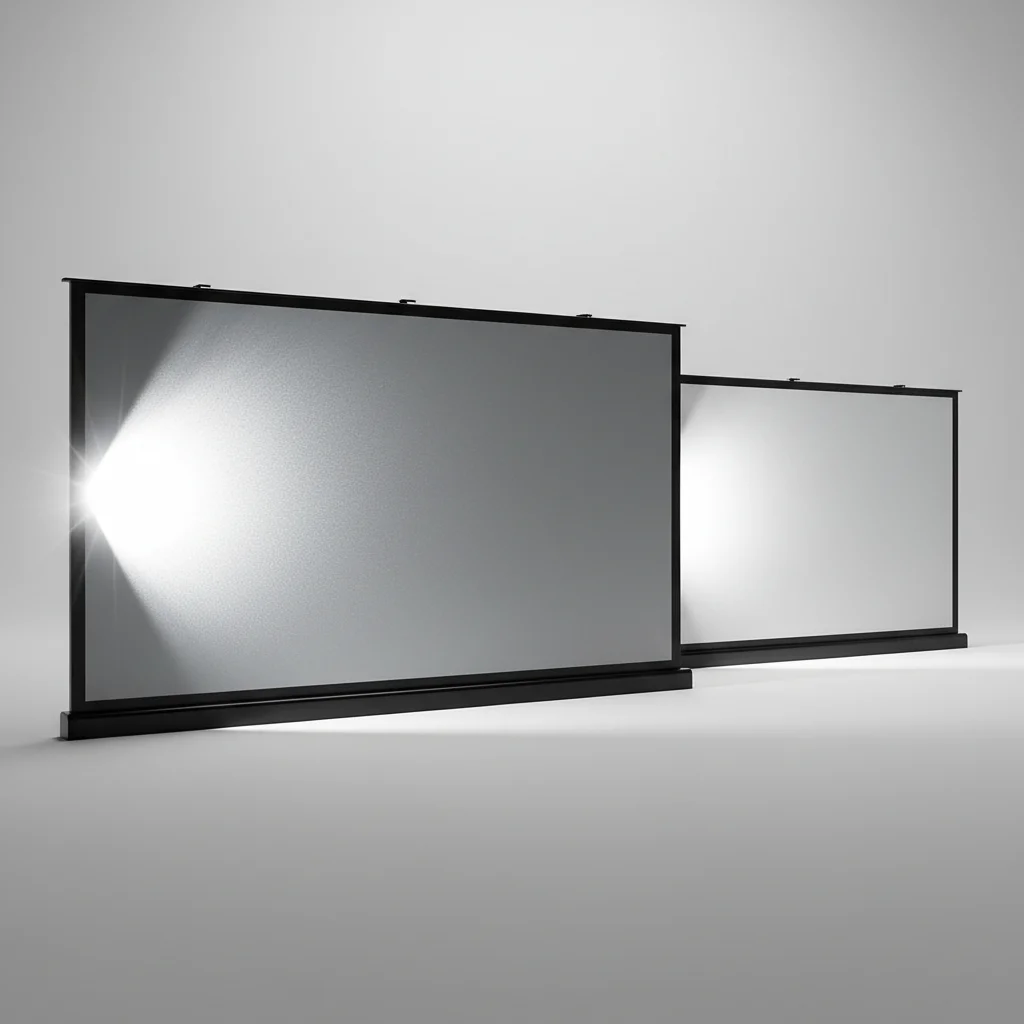
Projector screen reflectivity significantly impacts image quality, primarily by influencing brightness, contrast, and color accuracy. A screen’s reflective properties, often quantified by its gain, determine how much light from the projector is bounced back to the viewer. For optimal viewing, a gain of 1.0 to 1.3 is generally recommended for most home theater setups, balancing brightness with a wide viewing angle.
Understanding Projector Screen Gain
Projector screen gain is a measurement of how much light a screen reflects compared to a standard white matte surface. A gain of 1.0 means the screen reflects light equally in all directions, similar to a white wall. Screens with a gain greater than 1.0 are considered ‘high gain’ and reflect more light towards the center of the viewing area, making the image appear brighter. Conversely, screens with a gain less than 1.0 are ‘low gain’ and diffuse light more broadly, which can be beneficial for very wide viewing angles or to reduce hot-spotting. For complete projector screens library on this site.
The choice of gain depends heavily on your viewing environment, projector brightness, and audience size. For instance, a high-gain screen might be ideal in a room with some ambient light or with a lower-lumen projector, as it helps to boost perceived brightness. However, high-gain screens can also lead to a ‘hot spot’ effect, where the center of the screen is noticeably brighter than the edges, especially for viewers off-axis.
How Reflectivity Affects Contrast and Color
Beyond brightness, reflectivity plays a crucial role in contrast and color reproduction. Screens with specific reflective coatings, such as ALR (Ambient Light Rejecting) screens, are engineered to reflect light from the projector while absorbing ambient light from other sources. This selective reflection dramatically improves black levels and overall contrast in rooms that aren’t completely dark. Without proper reflectivity, even a high-contrast projector can produce washed-out images if the screen isn’t optimized for the environment.
Color accuracy is also influenced by the screen material and its reflective properties. Neutral white or gray screens are generally preferred for maintaining color fidelity, as they don’t introduce a color shift to the projected image. Some specialized screens might have slight color tints to enhance specific aspects, but for a true-to-source image, a neutral reflective surface is key. Always consider the screen material’s ability to render colors faithfully when making your selection.
Types of Reflective Surfaces
|
Our Picks for the Best Projector Screen in 2026
As an Amazon Associate I earn from qualifying purchases.
|
||
| Num | Product | Action |
|---|---|---|
| 1 | 120inch Outdoor Projector Screen with Stand: 16:9 4K HD Portable Projector Screen Outdoor Indoor - Front/Rear Movie Screen with Carry Bag, Sandbag - Projection Screen for Backyard, Camping, Theater |

|
| 2 | 120 inch Projector Screen 2025 Upgraded- Black Backing, Straight Edges, Foldable, Washable and Wrinkle-Free - for Indoor Home Theater and Outdoor Cinema -White 16:9 by IOLIEO |
|
| 3 | Projector Screen,HUANYINGBJB 4K 16:9 HD Rear Front Projector Screen Foldable Projection Screen Double-Sided Portable Outdoor Indoor Projector Screens for Movie Home Theater (120) |
|
| 4 | TOWOND Projector Screen with Stand, 100 inch Outdoor Projector Screen Portable Indoor Projection Screen 16:9 4K Rear Front Movie Screen with Carry Bag for Home Backyard Theater 100 inch |
|
| 5 | Pyle 50 Inch Portable Projector Screen with Tripod Stand – Lightweight, Durable, Easy Pull Setup Mobile Projection Screen with 4:3 Aspect Ratio, White Matte Fabric for Indoor/Outdoor Use |
|
| 6 | TOWOND Outdoor Projector Screen with stand, 120 inch Portable Movie Screen - 16:9 4K HD Foldable Anti-Crease Projection Screen with Carry Bag for Movie Nights, Camping and Parties Support Double Sided |
|
| 7 | Outdoor Projector Screen with Stand - 120 Inch Portable Projector Screen Indoor and Outdoor Projector Screens 16:9 4K HD Wrinkle Free Lightweight Movie Screen with Carry Bag,Enioy Movie Nights |
|
| 8 | AAJK Projector Screen 150 inch, Washable Projector Screen 16:9 Foldable Anti-Crease Portable Projector Movies Screen for Home Theater Outdoor Indoor Support Double Sided Projection |
|
| 9 | TOWOND Projector Screen and Stand, 150 inch Indoor Outdoor Projection Screen, Portable 16:9 4K HD Rear Front Movie Screen with Carry Bag Wrinkle-Free Design for Home Theater Backyard Cinema |
|
| 10 | Taotique Projector Screen 72 inch, Movie Projector Screen 16:9 HD Foldable and Portable Anti-Crease Indoor Outdoor Projection Double Sided Video Projector Screen for Home, Party, Office, Classroom |
|
There are several types of reflective surfaces used in projector screens, each with distinct characteristics. Matte white screens are the most common, offering a 1.0 gain and excellent viewing angles. Gray screens, often with a gain between 0.8 and 1.0, are designed to improve black levels and contrast in rooms with some ambient light. High-gain screens (1.3 to 2.5+) are typically made with specialized coatings that concentrate light, making them suitable for lower-lumen projectors or brighter rooms, but they can have narrower viewing angles.
- Matte White: Neutral color, 1.0 gain, wide viewing angle.
- Gray: Enhances black levels, 0.8-1.0 gain, good for ambient light.
- High Gain: Brighter image, 1.3-2.5+ gain, narrower viewing angle.
- ALR (Ambient Light Rejecting): Superior contrast in lit rooms, specialized optical layers.
- Acoustically Transparent: Perforated or woven, allows sound to pass through, minimal image impact.
Choosing the Right Reflectivity for Your Setup
Selecting the appropriate screen reflectivity involves balancing several factors: your projector’s lumen output, the amount of ambient light in your viewing room, and your typical viewing distance and angle. For a dedicated dark home theater, a matte white or light gray screen with a gain around 1.0 is often ideal, providing a balanced image with accurate colors and wide viewing angles. If you frequently watch in a room with some ambient light, an ALR screen or a gray screen with a lower gain can significantly improve image quality by preserving contrast.
Consider your projector’s throw distance and the size of your screen. A very large screen might benefit from a slightly higher gain if your projector isn’t exceptionally bright. Conversely, a very bright projector on a small screen in a dark room might lead to an overly bright image, in which case a lower gain screen could be more comfortable. Experimentation and understanding your specific setup are crucial for making the best choice.
Maintenance and Longevity of Reflective Surfaces
Proper maintenance is essential to preserve the reflective properties of your projector screen over time. Dust, fingerprints, and other contaminants can degrade the screen’s ability to reflect light evenly, leading to a diminished image quality. Always follow the manufacturer’s cleaning instructions, typically involving a soft, lint-free cloth and a mild, non-abrasive cleaning solution specifically designed for projector screens. Avoid harsh chemicals or abrasive materials, as these can permanently damage the delicate reflective coating.
Regular cleaning, especially for screens exposed to dust or outdoor elements, will help maintain optimal reflectivity and ensure a consistent viewing experience. For motorized or retractable screens, ensure they retract smoothly and are stored in their casing when not in use to protect the surface from environmental damage. Proper care extends the lifespan of your investment and keeps your images looking their best.
Get our weekly buyer guide
Practical specs, not advice. Unsubscribe anytime.
