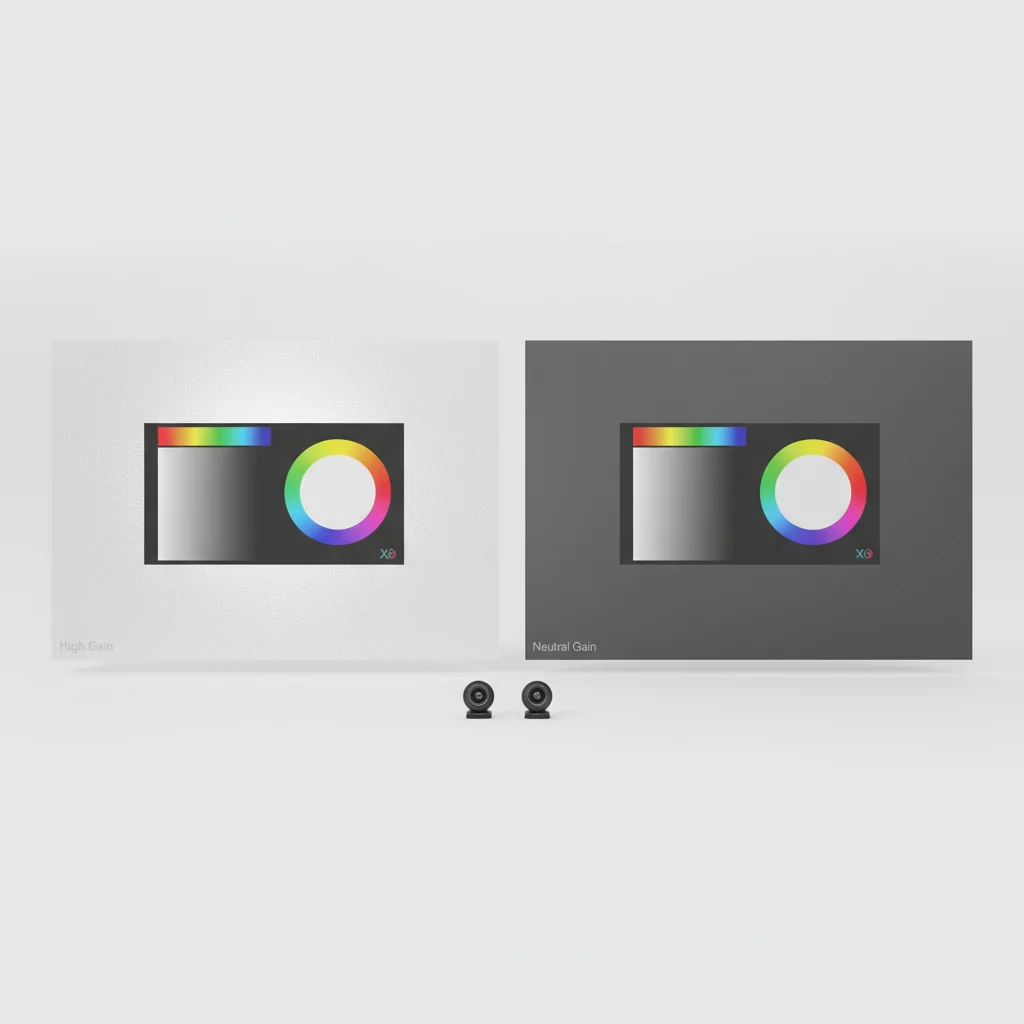
Projector screen gain significantly affects color accuracy, with lower gain screens generally providing more faithful color reproduction. While high-gain screens can boost brightness, they often introduce color shifts, making certain hues appear oversaturated or washed out. Understanding the relationship between gain and color is crucial for achieving an optimal viewing experience, especially for home theater enthusiasts who prioritize image fidelity.
What is Projector Screen Gain?
Projector screen gain refers to the reflective property of the screen material, indicating how much light it reflects back to the viewer compared to a standard white matte surface (which has a gain of 1.0). A screen with a gain of 1.5, for example, reflects 50% more light than a 1.0 gain screen. Conversely, a 0.8 gain screen reflects 20% less light. This property is designed to enhance image brightness, particularly in rooms with ambient light or when using lower-lumen projectors.
How Gain Influences Color Reproduction
The way a screen’s gain affects color accuracy is primarily due to its reflective coating. High-gain screens often use highly reflective, sometimes metallic, coatings that can preferentially reflect certain wavelengths of light more than others. This can lead to a phenomenon known as ‘hot-spotting’ or ‘color shifting,’ where colors appear different depending on the viewing angle or can be skewed towards a particular hue, such as green or yellow. Low-gain screens, typically with a matte white or gray finish, distribute light more evenly across the spectrum, resulting in a more neutral and accurate color presentation.
Choosing the Right Gain for Color Accuracy
|
Our Picks for the Best Projector Screen in 2026
As an Amazon Associate I earn from qualifying purchases.
|
||
| Num | Product | Action |
|---|---|---|
| 1 | TOWOND Outdoor Projector Screen with stand, 120 inch Portable Movie Screen - 16:9 4K HD Foldable Anti-Crease Projection Screen with Carry Bag for Movie Nights, Camping and Parties Support Double Sided |

|
| 2 | Pyle 50 Inch Portable Projector Screen with Tripod Stand – Lightweight, Durable, Easy Pull Setup Mobile Projection Screen with 4:3 Aspect Ratio, White Matte Fabric for Indoor/Outdoor Use |
|
| 3 | 120inch Outdoor Projector Screen with Stand: 16:9 4K HD Portable Projector Screen Outdoor Indoor - Front/Rear Movie Screen with Carry Bag, Sandbag - Projection Screen for Backyard, Camping, Theater |
|
| 4 | Projector Screen,HUANYINGBJB 4K 16:9 HD Rear Front Projector Screen Foldable Projection Screen Double-Sided Portable Outdoor Indoor Projector Screens for Movie Home Theater (120) |
|
| 5 | Outdoor Projector Screen with Stand - 120 Inch Portable Projector Screen Indoor and Outdoor Projector Screens 16:9 4K HD Wrinkle Free Lightweight Movie Screen with Carry Bag,Enioy Movie Nights |
|
| 6 | AAJK Projector Screen 150 inch, Washable Projector Screen 16:9 Foldable Anti-Crease Portable Projector Movies Screen for Home Theater Outdoor Indoor Support Double Sided Projection |
|
| 7 | 120 inch Projector Screen 2025 Upgraded- Black Backing, Straight Edges, Foldable, Washable and Wrinkle-Free - for Indoor Home Theater and Outdoor Cinema -White 16:9 by IOLIEO |
|
| 8 | TOWOND Projector Screen and Stand, 150 inch Indoor Outdoor Projection Screen, Portable 16:9 4K HD Rear Front Movie Screen with Carry Bag Wrinkle-Free Design for Home Theater Backyard Cinema |
|
| 9 | Taotique Projector Screen 72 inch, Movie Projector Screen 16:9 HD Foldable and Portable Anti-Crease Indoor Outdoor Projection Double Sided Video Projector Screen for Home, Party, Office, Classroom |
|
| 10 | TOWOND Projector Screen with Stand, 100 inch Outdoor Projector Screen Portable Indoor Projection Screen 16:9 4K Rear Front Movie Screen with Carry Bag for Home Backyard Theater 100 inch |
|
For critical color accuracy, such as in professional photo editing or high-end home theaters, a screen with a gain of 1.0 or slightly less (e.g., 0.8 to 0.9) is generally recommended. These screens provide the widest viewing angles and the most uniform color reproduction. If your viewing environment has some ambient light, an ALR (Ambient Light Rejecting) screen with a gain closer to 0.8-1.0 might be a better choice, as it helps maintain contrast and color saturation without introducing significant color shifts.
Impact of Viewing Angle on Color
The viewing angle also plays a critical role in how gain affects perceived color. High-gain screens tend to have a narrower optimal viewing cone. As you move off-axis, the brightness drops off sharply, and color accuracy can degrade significantly. This means that viewers sitting at the edges of the room might experience a dimmer, less vibrant, and less color-accurate image compared to those seated directly in front of the screen. Screens with a gain of 1.0 or less offer much wider viewing angles, ensuring consistent brightness and color for all viewers.
Practical Considerations for Home Theater Setups
When setting up a home theater, consider your projector’s lumen output, room lighting, and seating arrangement. If you have a very bright projector and a light-controlled room, a low-gain screen will provide the best color accuracy. If you have a lower-lumen projector or some unavoidable ambient light, you might need a slightly higher gain screen to achieve sufficient brightness, but be mindful of the potential trade-offs in color fidelity. Always aim for the lowest gain that still provides adequate brightness for your specific setup.
- Matte White (Gain 1.0): Excellent color accuracy, wide viewing angles, good for dark rooms.
- Gray Screens (Gain 0.8-0.9): Improved black levels and contrast in rooms with some ambient light, good color.
- High-Gain (Gain 1.1-2.0+): Boosts brightness, but can introduce hot-spotting and color shifts, narrower viewing angles.
- ALR Screens (Various Gains): Designed to reject ambient light, can maintain contrast and color in brighter rooms, but gain still impacts color.
Get our weekly buyer guide
Practical specs, not advice. Unsubscribe anytime.
