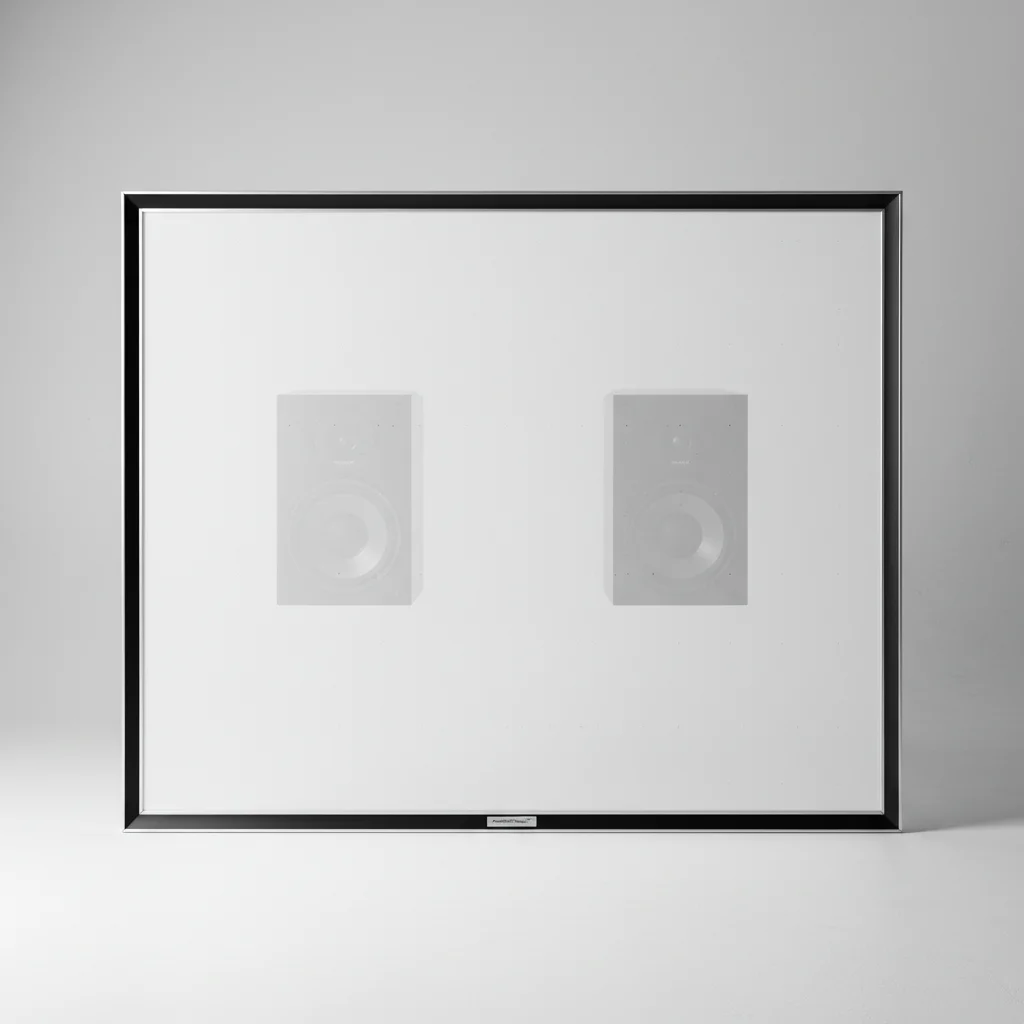
Projector screen sound transparency, often achieved through acoustically transparent (AT) materials, can indeed affect audio quality, but typically in a positive way when properly implemented. These screens are designed with micro-perforations or woven fabrics that allow sound to pass through from speakers placed behind the screen, creating a more immersive audio-visual experience by aligning the sound source directly with the on-screen action. While some minimal high-frequency attenuation can occur, modern AT screens are engineered to minimize this impact, often requiring only minor EQ adjustments to compensate.
What is an Acoustically Transparent Projector Screen?
An acoustically transparent projector screen is a specialized screen material designed to allow sound waves to pass through it with minimal interference. This is achieved either through thousands of tiny perforations across the screen surface or by using a woven fabric structure. The primary benefit is the ability to place speakers, particularly the center channel, directly behind the screen, mimicking the setup found in commercial cinemas. This creates a more cohesive soundstage where dialogue and effects appear to emanate directly from the characters and objects on screen, significantly enhancing immersion. For compare top projector screens on this site.
Types of Acoustically Transparent Materials
There are generally two main types of acoustically transparent screen materials: perforated and woven. Perforated screens feature small, precisely drilled holes that allow sound to pass through. The size and density of these perforations are crucial to balancing sound transparency with image quality, as larger holes can become visible at closer viewing distances. Woven screens, on the other hand, use a fabric construction with microscopic gaps between the threads. These often offer a smoother surface and can be less prone to moiré patterns, a common issue with some perforated screens. Both types aim to provide excellent sound pass-through while maintaining a high-quality projected image.
Impact on Audio Performance
|
Our Picks for the Best Projector Screen in 2026
As an Amazon Associate I earn from qualifying purchases.
|
||
| Num | Product | Action |
|---|---|---|
| 1 | 120 inch Projector Screen 2025 Upgraded- Black Backing, Straight Edges, Foldable, Washable and Wrinkle-Free - for Indoor Home Theater and Outdoor Cinema -White 16:9 by IOLIEO |

|
| 2 | Outdoor Projector Screen with Stand - 120 Inch Portable Projector Screen Indoor and Outdoor Projector Screens 16:9 4K HD Wrinkle Free Lightweight Movie Screen with Carry Bag,Enioy Movie Nights |
|
| 3 | TOWOND Outdoor Projector Screen with stand, 120 inch Portable Movie Screen - 16:9 4K HD Foldable Anti-Crease Projection Screen with Carry Bag for Movie Nights, Camping and Parties Support Double Sided |
|
| 4 | 120inch Outdoor Projector Screen with Stand: 16:9 4K HD Portable Projector Screen Outdoor Indoor - Front/Rear Movie Screen with Carry Bag, Sandbag - Projection Screen for Backyard, Camping, Theater |
|
| 5 | TOWOND Projector Screen with Stand, 100 inch Outdoor Projector Screen Portable Indoor Projection Screen 16:9 4K Rear Front Movie Screen with Carry Bag for Home Backyard Theater 100 inch |
|
| 6 | AAJK Projector Screen 150 inch, Washable Projector Screen 16:9 Foldable Anti-Crease Portable Projector Movies Screen for Home Theater Outdoor Indoor Support Double Sided Projection |
|
| 7 | Pyle 50 Inch Portable Projector Screen with Tripod Stand – Lightweight, Durable, Easy Pull Setup Mobile Projection Screen with 4:3 Aspect Ratio, White Matte Fabric for Indoor/Outdoor Use |
|
| 8 | TOWOND Projector Screen and Stand, 150 inch Indoor Outdoor Projection Screen, Portable 16:9 4K HD Rear Front Movie Screen with Carry Bag Wrinkle-Free Design for Home Theater Backyard Cinema |
|
| 9 | Projector Screen,HUANYINGBJB 4K 16:9 HD Rear Front Projector Screen Foldable Projection Screen Double-Sided Portable Outdoor Indoor Projector Screens for Movie Home Theater (120) |
|
| 10 | Taotique Projector Screen 72 inch, Movie Projector Screen 16:9 HD Foldable and Portable Anti-Crease Indoor Outdoor Projection Double Sided Video Projector Screen for Home, Party, Office, Classroom |
|
While the goal of AT screens is to be acoustically neutral, there can be some minor effects on audio performance. The most common concern is a slight attenuation of high frequencies as sound waves pass through the material. This is usually minimal and can often be corrected with a simple equalization (EQ) adjustment on your AV receiver or processor. Modern AT screens are designed to have a very flat frequency response, meaning they don’t significantly color the sound. The benefit of having speakers behind the screen, creating a superior soundstage and imaging, far outweighs these minor potential drawbacks for most home theater enthusiasts.
Optimizing Your Setup with an AT Screen
To get the best performance from an acoustically transparent projector screen, careful setup is essential. First, ensure your speakers are positioned correctly behind the screen, with the tweeters at ear level for optimal sound dispersion. Calibration is key; use your receiver’s auto-calibration feature (like Audyssey or YPAO) and then fine-tune manually if necessary to compensate for any high-frequency roll-off. Consider the screen’s gain and viewing angle in relation to your projector and seating. Proper speaker placement and calibration will maximize the immersive benefits of an AT screen.
Considerations for Image Quality
While sound transparency is the primary focus, the impact on image quality cannot be overlooked. Early AT screens sometimes suffered from visible perforations or moiré patterns, especially with certain projector resolutions or viewing distances. However, advancements in screen technology have largely mitigated these issues. High-quality woven AT screens, in particular, offer excellent image fidelity with virtually no visible texture from typical viewing distances. When selecting an AT screen, consider its gain, contrast capabilities, and how it interacts with your specific projector to ensure both pristine audio and video performance.
- Ensure speakers are properly calibrated after installation.
- Consider a woven AT screen for minimal image texture.
- Position center channel speaker directly behind the screen.
- Account for slight high-frequency roll-off with EQ adjustments.
- Verify screen material compatibility with your projector’s resolution.
Get our weekly buyer guide
Practical specs, not advice. Unsubscribe anytime.
