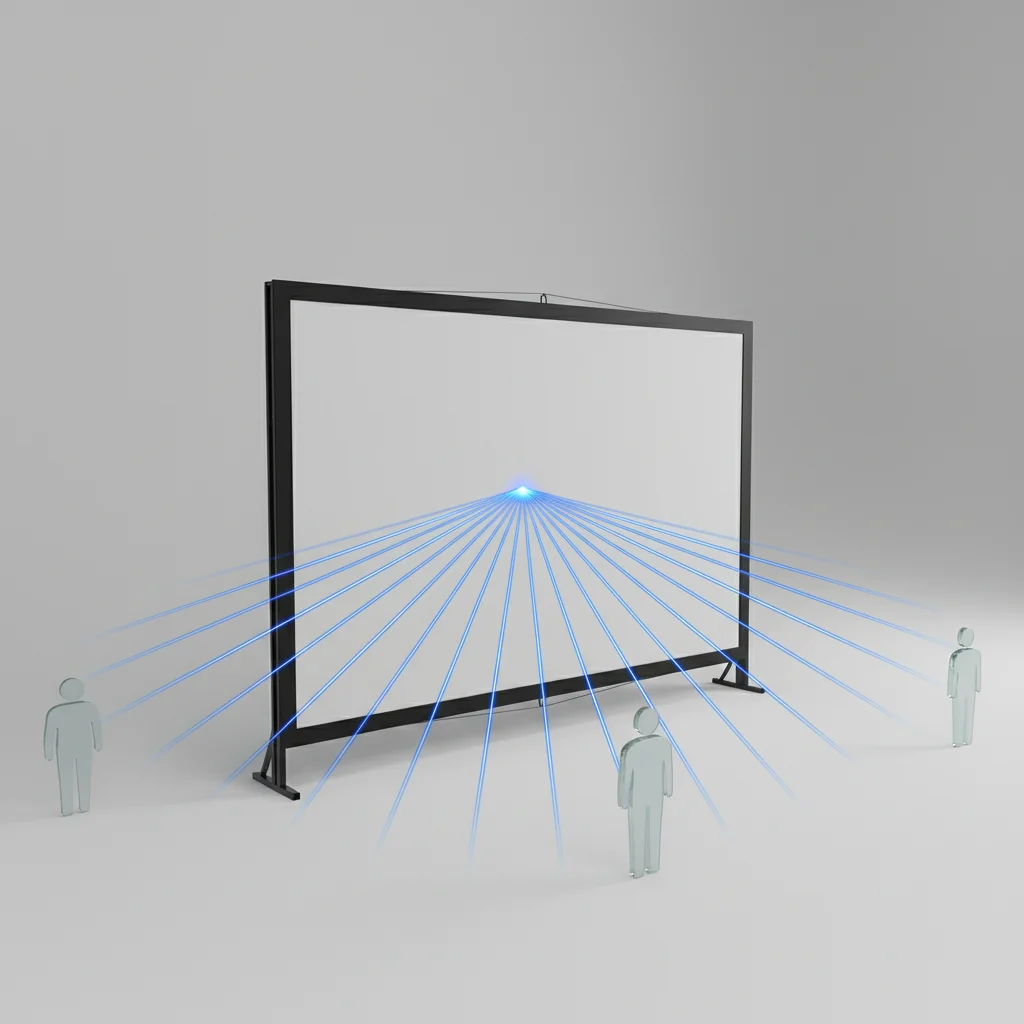
Optimal projector screen viewing angles typically range from 30 to 45 degrees from the center axis, ensuring a clear and vibrant image for all viewers. This range minimizes color shift, brightness fall-off, and distortion, which can occur when viewing a screen from too extreme an angle. Understanding these angles is crucial for setting up a home theater or outdoor viewing area that provides a consistent visual experience for everyone.
Understanding Viewing Angle Basics
The viewing angle of a projector screen refers to the maximum angle from which a viewer can still see a clear and undistorted image. Beyond this angle, the image quality can degrade significantly. This degradation is often due to the screen material’s reflective properties. Different screen materials are designed to reflect light in specific ways, influencing their effective viewing cone. For instance, screens with higher gain tend to have narrower viewing angles, while those with lower gain or specialized coatings often offer wider angles.
When setting up your viewing space, consider the seating arrangement and the number of people who will be watching. A wider viewing angle is beneficial for larger groups or rooms with dispersed seating, ensuring everyone gets a good view. Conversely, a narrower viewing angle might be acceptable for a dedicated two-person home theater where seating is centralized.
Factors Affecting Optimal Viewing Angles
Several factors influence the optimal viewing angle for your projector screen. The screen material is paramount; some materials, like those with a high gain, are designed to reflect more light directly back to the projector, resulting in a brighter image but a narrower viewing cone. Conversely, matte white screens offer a wider viewing angle but might appear less bright from the center. Ambient light rejection (ALR) screens also have specific viewing angle characteristics, often optimized to reject off-axis light while maintaining image quality within a defined cone.
The type of projector also plays a role. Ultra-short throw (UST) projectors, for example, often pair best with ALR screens designed to reflect light from a very steep angle, which can impact the perceived viewing angle for the audience. Room lighting is another critical factor; in rooms with significant ambient light, a screen with a narrower viewing angle might concentrate light more effectively, making the image appear brighter, but at the cost of off-axis clarity.
How to Determine Your Ideal Viewing Angle
|
Our Picks for the Best Projector Screen in 2026
As an Amazon Associate I earn from qualifying purchases.
|
||
| Num | Product | Action |
|---|---|---|
| 1 | Taotique Projector Screen 72 inch, Movie Projector Screen 16:9 HD Foldable and Portable Anti-Crease Indoor Outdoor Projection Double Sided Video Projector Screen for Home, Party, Office, Classroom |

|
| 2 | TOWOND Projector Screen and Stand, 150 inch Indoor Outdoor Projection Screen, Portable 16:9 4K HD Rear Front Movie Screen with Carry Bag Wrinkle-Free Design for Home Theater Backyard Cinema |
|
| 3 | Projector Screen,HUANYINGBJB 4K 16:9 HD Rear Front Projector Screen Foldable Projection Screen Double-Sided Portable Outdoor Indoor Projector Screens for Movie Home Theater (120) |
|
| 4 | AAJK Projector Screen 150 inch, Washable Projector Screen 16:9 Foldable Anti-Crease Portable Projector Movies Screen for Home Theater Outdoor Indoor Support Double Sided Projection |
|
| 5 | Outdoor Projector Screen with Stand - 120 Inch Portable Projector Screen Indoor and Outdoor Projector Screens 16:9 4K HD Wrinkle Free Lightweight Movie Screen with Carry Bag,Enioy Movie Nights |
|
| 6 | Pyle 50 Inch Portable Projector Screen with Tripod Stand – Lightweight, Durable, Easy Pull Setup Mobile Projection Screen with 4:3 Aspect Ratio, White Matte Fabric for Indoor/Outdoor Use |
|
| 7 | TOWOND Outdoor Projector Screen with stand, 120 inch Portable Movie Screen - 16:9 4K HD Foldable Anti-Crease Projection Screen with Carry Bag for Movie Nights, Camping and Parties Support Double Sided |
|
| 8 | 120 inch Projector Screen 2025 Upgraded- Black Backing, Straight Edges, Foldable, Washable and Wrinkle-Free - for Indoor Home Theater and Outdoor Cinema -White 16:9 by IOLIEO |
|
| 9 | TOWOND Projector Screen with Stand, 100 inch Outdoor Projector Screen Portable Indoor Projection Screen 16:9 4K Rear Front Movie Screen with Carry Bag for Home Backyard Theater 100 inch |
|
| 10 | 120inch Outdoor Projector Screen with Stand: 16:9 4K HD Portable Projector Screen Outdoor Indoor - Front/Rear Movie Screen with Carry Bag, Sandbag - Projection Screen for Backyard, Camping, Theater |
|
To determine your ideal viewing angle, start by considering your primary seating position. This should be directly in front of the screen. Then, identify the furthest seats to the left and right that will be used. Measure the angle from the center of the screen to these furthest seats. Most manufacturers provide specifications for their screens’ half-gain viewing angle, which is the angle at which the screen’s brightness drops to half of its on-axis peak. Aim to keep all primary viewing positions within this specified range.
For a typical home theater setup, a good rule of thumb is to ensure no viewer is more than 30-45 degrees off-center. For larger rooms or outdoor setups, you might need a screen with a wider specified viewing angle to accommodate more dispersed seating. Experimenting with temporary seating arrangements before final installation can help you fine-tune the placement for optimal viewing for everyone.
- Consider the screen’s half-gain viewing angle specification.
- Map out all potential seating positions in your viewing area.
- Ensure the furthest seats remain within a 30-45 degree off-center angle.
- Test different seating arrangements to confirm visual comfort.
- Account for the screen material’s reflective properties.
Maximizing Viewing Comfort for All
To maximize viewing comfort for everyone, especially in larger gatherings, selecting a screen with a wide viewing angle is key. Matte white screens are generally excellent for this, offering a broad and consistent image across a wide range of angles, though they may not be as bright as high-gain screens. For rooms with some ambient light, an ALR screen designed for wide viewing angles can be a good compromise, rejecting ambient light while still providing a good off-axis image.
Proper screen height and tilt also contribute to overall viewing comfort. The center of the screen should ideally be at eye level for seated viewers. If the screen is mounted higher, a slight downward tilt can help direct the image more effectively towards the audience, improving the perceived viewing angle. Remember that even with a great screen, poor seating arrangement can negate its benefits.
Choosing the Right Screen for Wide Angles
When prioritizing wide viewing angles, look for screens with specific material properties. Generally, screens with a gain of 1.0 or less will offer the widest viewing angles. Matte white screens are a classic choice for their excellent uniformity and broad viewing cone. Some ALR screens are also engineered to provide wider viewing angles than traditional high-gain screens, making them suitable for rooms with ambient light where a wide audience is expected.
Always check the manufacturer’s specifications for the viewing angle. A screen advertised with a 160-degree viewing angle, for example, means that the image remains clear and bright up to 80 degrees off-center in either direction. This is a significant factor in ensuring everyone enjoys the show, whether it’s a family movie night or a big game with friends.Consider screens specifically designed for multi-purpose rooms where viewers might not always be directly in front of the display.
Get our weekly buyer guide
Practical specs, not advice. Unsubscribe anytime.
